
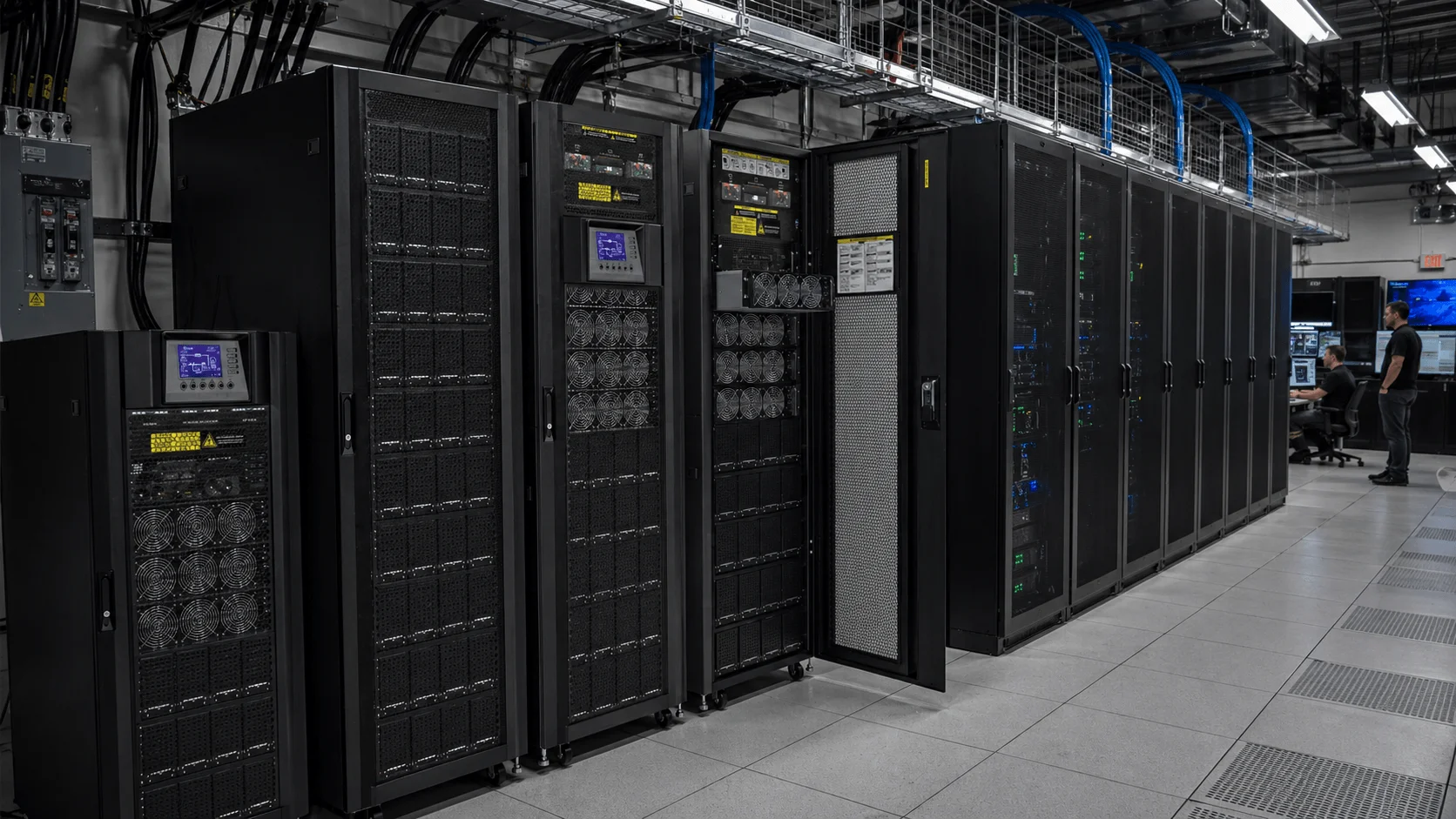
Data centers are the foundation of modern digital infrastructure. Cloud computing, enterprise applications, artificial intelligence, financial platforms, telecom networks, healthcare systems, e-commerce, government services, and online communication all depend on reliable data center operation.
In this environment, power interruption is not a minor inconvenience. Even a short outage, voltage fluctuation, surge, or unstable power supply can interrupt servers, damage storage systems, disconnect network equipment, corrupt data, disrupt applications, and affect business continuity.
A data center UPS system, or Uninterruptible Power Supply for data centers, provides immediate backup power and power protection for mission-critical IT equipment. It helps maintain uptime, protect servers and storage systems, support generator transfer, preserve data integrity, and improve the resilience of digital infrastructure.
For small server rooms, enterprise data centers, colocation facilities, cloud platforms, edge data centers, and AI computing environments, a properly designed UPS solution is one of the most important parts of critical power infrastructure.
Why UPS Systems Are Essential for Data Centers
1. Ensuring Continuous Operation
Data centers are expected to operate continuously. Businesses, customers, applications, and connected services rely on uninterrupted access to digital systems. A power failure can lead to downtime, service interruption, data loss, SLA issues, customer dissatisfaction, and reputational damage.
UPS systems help protect:
- Servers
- Storage systems
- Network switches
- Routers and firewalls
- Load balancers
- Security systems
- Monitoring platforms
- Cooling control systems
- Edge computing equipment
- AI and high-performance computing infrastructure
When utility power fails, the UPS provides instant backup power. This gives the facility time to transfer to generators, continue short-term operation, or perform controlled shutdown procedures.
2. Protecting Servers, Storage, and Network Equipment
Data center equipment is sensitive to poor power quality. Voltage sags, surges, spikes, frequency instability, harmonics, and sudden outages can damage components or cause abnormal system behavior.
A properly selected UPS system provides:
- Backup power
- Voltage regulation
- Surge protection
- Power conditioning
- Stable output voltage
- Safe shutdown support
- Protection against power disturbances
For mission-critical data centers, online double-conversion UPS systems are commonly used because they provide continuous power conditioning and stable output for sensitive IT loads.
3. Preserving Data Integrity
Unexpected power loss can interrupt database operations, corrupt files, damage virtual machines, affect storage arrays, interrupt transactions, or cause incomplete system processes.
UPS systems help preserve data integrity by giving IT systems time to:
- Complete write operations
- Maintain server operation temporarily
- Transfer to generator power
- Shut down safely
- Protect storage systems
- Maintain network connectivity
- Support disaster recovery procedures
For cloud platforms, financial systems, healthcare data, enterprise software, AI workloads, and e-commerce platforms, data integrity is one of the most important reasons to deploy a reliable UPS system.
4. Supporting Generator Transfer
In many data centers, the UPS is not designed to power the entire facility for many hours. Instead, it provides immediate backup power during the short transition between utility power failure and generator operation.
A typical critical power sequence may look like this:
- Utility power fails.
- UPS instantly supports critical IT loads.
- Generator starts and stabilizes.
- Transfer equipment shifts the load to generator power.
- UPS continues to condition and protect the power supply.
This generator-bridging function is one of the core roles of UPS systems in data center power architecture.
5. Supporting Maintenance and Infrastructure Upgrades
Data centers require regular maintenance, battery replacement, capacity expansion, and infrastructure upgrades. With the right UPS architecture, operators can perform maintenance without shutting down critical IT loads.
UPS systems can support:
- Planned maintenance
- Power module replacement
- Battery replacement
- Load transfer
- System expansion
- Redundant power paths
- Bypass operation
- Phased data center growth
For larger facilities, maintenance bypass, modular design, redundancy, and monitoring are essential.
Key Data Center UPS Application Scenarios
Small Server Rooms
Small server rooms are common in offices, schools, hospitals, factories, retail chains, and branch facilities. These environments may not require large three-phase systems, but they still need reliable backup power for servers and network equipment.
Recommended UPS focus:
- 1kVA–20kVA online UPS
- Rack-mounted or tower design
- Backup for servers, storage, routers, switches, and firewalls
- External battery pack option
- SNMP or remote monitoring
- Safe shutdown software
For small server rooms, a rack-mounted online UPS is often a practical and space-saving solution.
Enterprise Data Centers
Enterprise data centers support internal business applications, databases, communication systems, ERP platforms, file storage, and security systems.
Recommended UPS focus:
- Three-phase online UPS
- External battery cabinets
- N+1 redundancy
- Generator compatibility
- Maintenance bypass
- Remote monitoring
- Preventive maintenance plan
Enterprise data centers should select UPS systems based on actual IT load, future expansion, runtime requirements, and availability goals.
Colocation Data Centers
Colocation facilities provide shared data center space for multiple customers. They require high availability, scalable capacity, strong monitoring, and redundant power paths.
Recommended UPS focus:
- Modular UPS architecture
- N+1 or 2N redundancy
- Scalable power modules
- Battery monitoring system
- Centralized monitoring
- Generator integration
- Serviceability without load interruption
For colocation providers, UPS reliability directly affects customer trust and service continuity.
Cloud and Hyperscale Data Centers
Cloud data centers handle large-scale computing, storage, networking, and application delivery. Their power systems must be scalable, efficient, and highly reliable.
Recommended UPS focus:
- High-capacity three-phase UPS
- Modular or parallel UPS systems
- High efficiency operation
- Large battery systems
- Advanced monitoring
- Redundant architecture
- Integration with facility power and cooling systems
For large-scale environments, UPS efficiency, maintainability, and scalability can significantly affect long-term operating cost.
Edge Data Centers
Edge data centers bring computing closer to users, devices, and applications. They are often deployed in telecom sites, industrial facilities, commercial buildings, transportation hubs, or remote areas.
Recommended UPS focus:
- Compact rack-mounted UPS
- Lithium battery backup where suitable
- Remote monitoring
- Space-saving design
- Low maintenance
- Generator or solar hybrid compatibility where needed
Because edge sites may be unmanned or difficult to access, remote monitoring and battery health management are especially important.
AI and High-Performance Computing Facilities
AI computing and high-performance computing environments may have high power density, sensitive equipment, and demanding cooling requirements.
Recommended UPS focus:
- High-capacity online UPS
- Three-phase or modular UPS
- High efficiency design
- Strong overload capability
- Advanced monitoring
- Generator compatibility
- Coordination with cooling and facility power systems
For AI infrastructure, UPS selection should consider fast load changes, power density, cooling coordination, and future expansion.
Recommended UPS Types for Data Center Applications
Online Double-Conversion UPS
An online double-conversion UPS is commonly recommended for data centers because it provides continuous power conditioning and stable output.
Best for:
- Server rooms
- Enterprise data centers
- Colocation facilities
- Cloud infrastructure
- Financial data centers
- Healthcare IT systems
- Mission-critical applications
This type of UPS is suitable for sensitive IT loads requiring high-quality power protection.
Rack-Mounted UPS
Rack-mounted UPS systems are suitable for IT cabinets, small server rooms, edge data centers, and network closets.
Best for:
- Small server racks
- Network cabinets
- Edge sites
- Branch IT rooms
- Telecom rooms
- Local storage systems
Rack-mounted UPS systems save space and integrate well with standard IT racks.
Three-Phase UPS
Three-phase UPS systems are suitable for medium and large data centers with higher power requirements.
Best for:
- Enterprise data centers
- Large server rooms
- Colocation facilities
- Centralized IT rooms
- High-density equipment areas
- Critical power rooms
Three-phase UPS systems are commonly used with external battery cabinets, maintenance bypass, and monitoring systems.
Modular UPS
A modular UPS allows data center operators to add or replace power modules as load demand grows. This makes it suitable for scalable and redundant architectures.
Best for:
- Growing data centers
- Colocation facilities
- Cloud infrastructure
- Edge data center clusters
- Facilities requiring N+1 redundancy
- Projects with phased expansion
Modular UPS systems help reduce upfront oversizing and support future capacity growth.
UPS with External Battery Cabinets
External battery cabinets are used when longer backup time is required. They allow data centers to extend runtime beyond the internal UPS battery capacity.
Best for:
- Generator bridging
- Extended runtime applications
- Unstable grid environments
- Critical IT systems
- Data centers without immediate generator support
Battery cabinet design should consider runtime, space, weight, ventilation, maintenance access, and battery monitoring.
Lithium Battery UPS Solutions
Traditional VRLA batteries are widely used in data center UPS systems, but lithium battery solutions are increasingly considered for projects that require longer service life, smaller footprint, lighter weight, faster charging, and lower maintenance.
Best for:
- Edge data centers
- Space-limited IT rooms
- High-density facilities
- Sites with high maintenance cost
- Projects focused on lifecycle cost
Battery selection should consider safety, monitoring, ambient temperature, lifecycle cost, replacement cycle, and local transportation or installation requirements.
How to Choose the Right UPS for a Data Center
1. Identify Critical Loads
The first step is to identify which systems require UPS protection. In most data centers, critical loads include IT and network equipment rather than the entire facility load.
Typical critical loads include:
- Servers
- Storage arrays
- Network switches
- Routers and firewalls
- Security systems
- Monitoring systems
- Control systems
- Selected cooling controls
- Communication equipment
The UPS should be sized according to the protected critical load, not simply the total building power capacity.
2. Calculate UPS Capacity
UPS capacity should be selected based on actual load requirements.
Important data includes:
- Total IT load in W, kW, VA, or kVA
- Power factor
- Input and output voltage
- Single-phase or three-phase requirement
- Peak load
- Future expansion margin
- Redundancy requirement
- Load growth plan
A UPS should not be continuously operated at full capacity. Leaving capacity margin improves reliability and supports future expansion.
3. Define Required Backup Runtime
Backup runtime depends on the data center’s power architecture and business continuity strategy.
Common runtime options include:
- 5–10 minutes for generator bridging
- 10–20 minutes for controlled operation
- 15–30 minutes for smaller server rooms
- 30–60 minutes for unstable grid environments
- Longer runtime with external battery cabinets
For facilities with generators, the UPS often only needs to support the load until the generator starts and stabilizes. For sites without generators, longer battery runtime may be required.
4. Choose the Right Redundancy Architecture
Data center availability depends heavily on redundancy.
Common UPS architectures include:
- N: Basic UPS capacity without redundancy
- N+1: One additional UPS unit or power module for backup
- 2N: Two independent UPS systems and power paths
- 2N+1: Two independent systems with additional module-level redundancy
- Parallel redundant UPS: Multiple UPS units sharing and backing up the load
The correct architecture depends on facility criticality, uptime expectations, budget, maintenance strategy, and risk tolerance.
5. Consider Scalability
Data center loads often grow over time. A modular UPS or parallel UPS architecture allows operators to expand capacity without replacing the entire system.
Scalability is especially important for:
- Colocation facilities
- Cloud platforms
- Enterprise data centers
- Edge deployments
- AI computing environments
- Phased construction projects
A scalable UPS design helps avoid both under-sizing and unnecessary upfront oversizing.
6. Evaluate Energy Efficiency
UPS efficiency affects operating cost, heat output, and cooling demand. For data centers, even a small improvement in UPS efficiency can reduce long-term energy consumption.
When choosing a UPS, evaluate:
- Online mode efficiency
- Efficiency at partial load
- Eco mode availability and risk profile
- Heat dissipation
- Cooling impact
- Battery efficiency
- Total cost of ownership
Efficiency should be balanced with reliability. In critical environments, power protection and uptime requirements should not be sacrificed for efficiency alone.
7. Select the Right Battery System
The battery system is one of the most important parts of a data center UPS solution.
Common options include:
- VRLA batteries
- Lithium batteries
- External battery cabinets
- Long-runtime battery banks
- Battery monitoring systems
Battery selection should consider:
- Required runtime
- Service life
- Footprint
- Weight
- Maintenance requirements
- Replacement cycle
- Operating temperature
- Safety requirements
- Monitoring capability
- Lifecycle cost
For large projects, battery monitoring is strongly recommended to reduce the risk of hidden battery failure.
8. Use Intelligent Monitoring and Management
Modern data center UPS systems should support remote monitoring and intelligent management.
Recommended monitoring features include:
- UPS load status
- Battery health monitoring
- Runtime estimation
- Input/output voltage monitoring
- Temperature monitoring
- Alarm notification
- SNMP or network monitoring
- Event logs
- Remote diagnostics
- Battery replacement alerts
- Integration with DCIM or BMS platforms
Monitoring helps operators identify problems before they become failures.
9. Plan Maintenance and Bypass Design
UPS reliability depends on maintenance. Batteries age, fans wear out, capacitors degrade, and environmental conditions can affect system performance.
Recommended maintenance practices include:
- Battery inspection
- Runtime testing
- Load testing
- Alarm testing
- Ventilation inspection
- Dust cleaning
- Firmware or controller review
- Bypass verification
- Preventive replacement planning
Maintenance bypass design allows UPS service without interrupting critical loads, which is essential for many data center environments.
Typical Data Center UPS Solutions by Application
Network Closet or Small IT Room
Recommended solution:
- 1kVA–6kVA rack-mounted online UPS
- Internal battery or external battery pack
- Backup for switches, routers, firewall, and small server
- SNMP or remote monitoring
Small Server Room
Recommended solution:
- 6kVA–20kVA online UPS
- Rack-mounted or tower design
- External battery modules if longer runtime is required
- Safe shutdown software
- Maintenance bypass
- Remote monitoring
Medium Data Center
Recommended solution:
- 20kVA–200kVA three-phase online UPS
- External battery cabinets
- N+1 redundancy where required
- Generator compatibility
- Maintenance bypass
- Battery monitoring system
Enterprise Data Center
Recommended solution:
- 100kVA–500kVA+ three-phase or modular UPS
- N+1 or 2N redundancy
- External battery system
- Centralized monitoring
- Generator integration
- Preventive maintenance plan
Colocation or Cloud Data Center
Recommended solution:
- Modular or parallel UPS system
- Scalable power modules
- N+1, 2N, or higher redundancy depending on facility design
- Battery monitoring system
- DCIM/BMS integration
- Maintenance bypass
- Professional testing and service plan
Edge Data Center
Recommended solution:
- Compact rack-mounted UPS or modular UPS
- Lithium or VRLA battery option
- Remote monitoring
- Space-saving design
- Low-maintenance configuration
- Generator or solar hybrid compatibility where needed
AI or High-Density Computing Facility
Recommended solution:
- High-capacity three-phase or modular UPS
- Strong overload and scalability design
- High efficiency operation
- Advanced monitoring
- External battery cabinets
- Coordination with cooling and generator systems
- Professional engineering review
Purchasing Advice for Data Center UPS Projects
When purchasing a UPS system for data center applications, buyers should not only compare price. The correct UPS solution should match IT load, availability goals, backup runtime, redundancy requirements, power quality conditions, installation environment, maintenance capability, and future expansion plan.
Before requesting a quotation, prepare the following information:
- Application type: server room, enterprise data center, colocation, cloud, edge, or AI computing
- Equipment list and critical load level
- Total IT load in W, kW, VA, or kVA
- Input and output voltage
- Single-phase or three-phase requirement
- Power factor
- Required backup time
- Generator or long-duration backup availability
- Redundancy requirement
- Battery type preference
- Installation environment
- Space and weight limitations
- Monitoring requirement
- Maintenance bypass requirement
- Future expansion plan
- Local electrical and safety requirements
A professional UPS supplier should be able to provide capacity calculation, battery runtime estimation, redundancy design, battery cabinet configuration, wiring guidance, monitoring options, installation recommendations, maintenance planning, and integration advice for generators or data center power systems.
Conclusion
Data centers depend on reliable power to protect servers, storage systems, networks, applications, data, and digital services. From small server rooms and enterprise IT facilities to colocation platforms, cloud data centers, edge sites, and AI computing environments, UPS systems play an essential role in critical power protection.
A well-designed data center UPS solution provides immediate backup power, clean electrical output, voltage regulation, runtime support, remote monitoring, redundancy, and coordination with generators or other long-duration backup systems. It helps reduce downtime risk, protect data integrity, support maintenance, and improve infrastructure resilience.
For data center operators, IT managers, facility engineers, system integrators, cloud providers, and infrastructure buyers, selecting the right UPS system is not simply about backup power. It is about protecting uptime, digital continuity, customer trust, and the foundation of modern digital infrastructure.
Frequently Asked Questions
What type of UPS is best for a data center?
For most data centers, an online double-conversion UPS is the preferred choice. It provides continuous power conditioning, stable output voltage, and reliable protection for servers, storage systems, network equipment, and other critical IT infrastructure.
How long should a data center UPS provide backup power?
The required backup time depends on the facility’s power design. Many data centers use UPS systems to provide 5–15 minutes of backup power while generators start and stabilize. Small server rooms or sites without generators may require 30 minutes, 60 minutes, or longer runtime with external battery cabinets.
What is the difference between a modular UPS and a traditional UPS?
A traditional UPS usually has a fixed capacity, while a modular UPS allows power modules to be added, removed, or replaced as needed. Modular UPS systems are more scalable, easier to maintain, and can support redundancy designs such as N+1.
Why is UPS redundancy important in data centers?
UPS redundancy helps improve system availability. If one UPS unit or power module fails, another unit or module can continue supporting the critical load. Common redundancy architectures include N+1, 2N, and 2N+1, depending on the required reliability level.
Are lithium-ion batteries suitable for data center UPS systems?
Yes. Lithium-ion batteries are increasingly used in data center UPS applications because they can offer a longer service life, smaller footprint, lighter weight, faster charging, and lower maintenance requirements compared with many traditional VRLA battery systems.
What information is needed to choose a data center UPS?
To recommend the right UPS solution, the following information is usually required: total IT load, input and output voltage, phase requirement, required backup time, redundancy level, generator availability, installation environment, battery preference, and future expansion plan.
Need a Reliable UPS Solution for Your Data Center?
Whether you are protecting a small server room, an enterprise data center, a colocation facility, or an edge computing site, choosing the right UPS system is essential for uptime, data protection, and long-term power reliability.
Share your load capacity, input/output voltage, required backup time, redundancy requirements, and installation environment with us. Our team can help recommend the right online UPS, modular UPS, battery configuration, and scalable power protection solution for your project.