
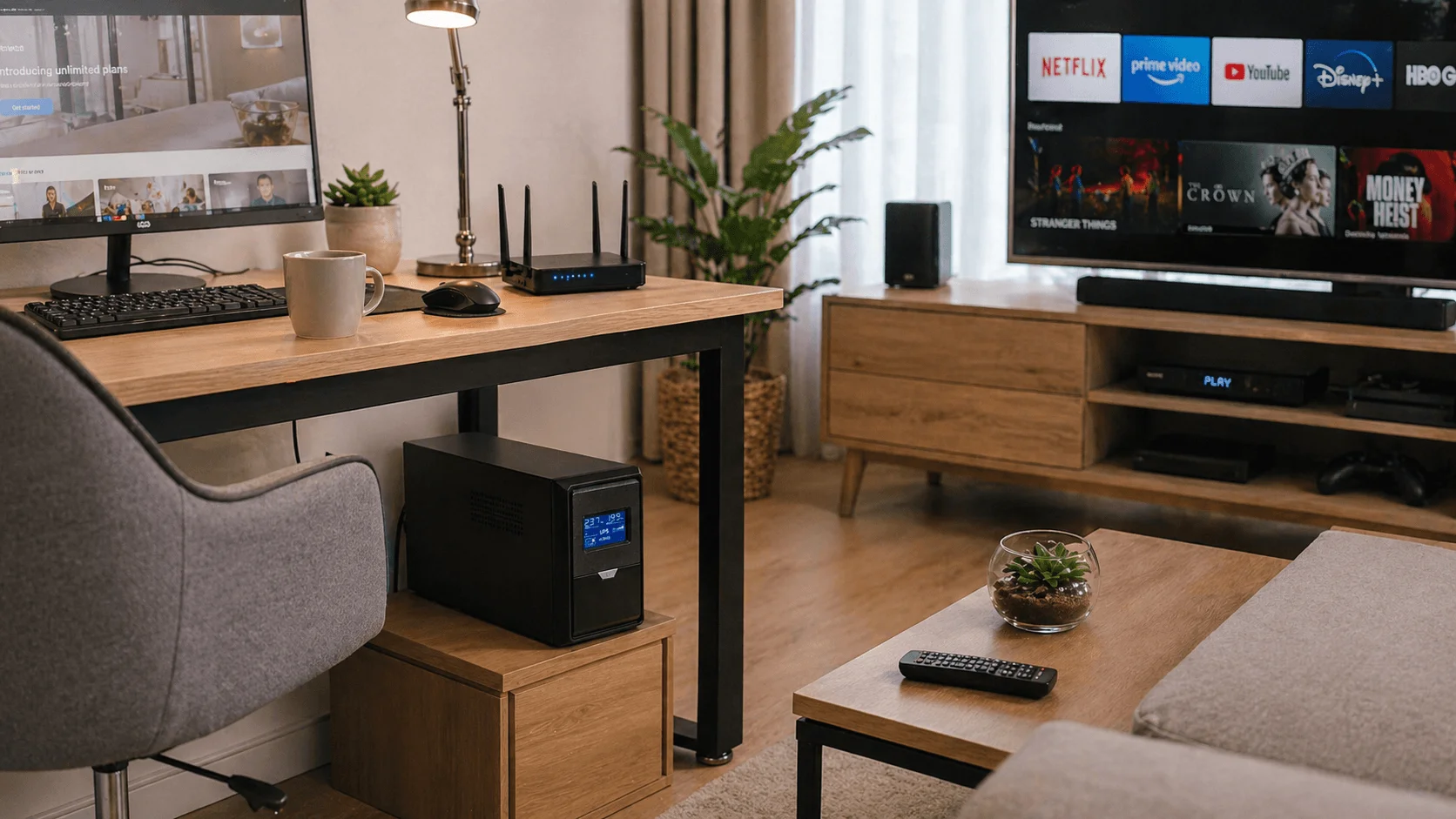
Modern homes rely on electricity for much more than lighting. Computers, Wi-Fi routers, modems, smart TVs, gaming systems, security cameras, smart locks, home automation hubs, communication devices, and remote work equipment all depend on stable and reliable power.
A sudden power outage, voltage fluctuation, surge, or unstable grid supply can interrupt online work, disconnect home internet, damage sensitive electronics, stop security systems, and create inconvenience for daily life. A residential UPS system, or Uninterruptible Power Supply for home use, provides short-term backup power and power protection for essential household electronics.
For most homes, a UPS is not designed to power the entire house for many hours. Instead, it is best used to protect selected critical devices such as computers, routers, modems, network switches, security systems, smart home hubs, NAS storage, and home office equipment. For larger household loads or long-duration outages, homeowners may need a home inverter system, battery energy storage system, portable power station, solar backup system, or generator.
Why Residential UPS Systems Are Important
1. Protecting Home Electronics from Power Problems
Modern households contain many sensitive electronic devices. Voltage surges, power spikes, brownouts, unstable grid power, and sudden shutdowns can shorten device lifespan, damage power supplies, interrupt data transfer, or cause system errors.
A residential UPS can help protect:
- Desktop computers
- Laptops and monitors
- Wi-Fi routers and modems
- Network switches
- NAS storage devices
- Smart home hubs
- Security cameras
- Alarm systems
- Gaming PCs and consoles
- Smart TVs and audio systems
- Home office equipment
For homes in areas with frequent thunderstorms, unstable utility power, aging electrical wiring, or frequent short outages, a UPS can provide practical protection for everyday electronics.
2. Keeping Home Internet and Wi-Fi Online
For many households, internet connectivity is now essential for remote work, online learning, video calls, smart home control, entertainment, and emergency communication. During a short power outage, the internet service may still be available, but the home router, modem, optical network terminal, or Wi-Fi system will shut down if it has no backup power.
A properly sized UPS can keep the following devices running:
- Internet modem
- Wi-Fi router
- Mesh Wi-Fi system
- Network switch
- Optical network terminal
- VoIP phone adapter
- Smart home hub
This is one of the most valuable residential UPS applications because routers and modems usually consume relatively low power. As a result, a small UPS can often keep the home network running much longer than it can support a desktop computer.
3. Supporting Home Office and Remote Work
Remote workers rely on computers, monitors, routers, printers, external drives, cloud platforms, and video conferencing tools. A sudden outage can interrupt meetings, stop file uploads, disconnect business communication, or cause unsaved work to be lost.
A UPS for home office use provides enough time to:
- Save documents
- Finish or pause online meetings
- Keep the router and modem online
- Shut down the computer safely
- Protect external storage devices
- Avoid abrupt system crashes
- Prevent data corruption during file transfers
For professionals working from home, a UPS is a small but valuable investment that can reduce productivity loss and protect important equipment.
4. Protecting Smart Home and Security Systems
Smart homes often depend on connected devices such as cameras, alarms, smart locks, sensors, routers, hubs, intercom systems, and access control devices. If power fails, these systems may stop working unless they have battery backup.
A residential UPS can support:
- Home security cameras
- Network video recorders
- Alarm panels
- Smart locks
- Doorbell cameras
- Smart home hubs
- Intercom systems
- Garage door control electronics
- Home network devices
For home security, keeping the router, modem, NVR, alarm panel, and selected cameras online during a short outage can be more important than powering entertainment devices.
5. Supporting Selected Essential Devices
Some households may need backup power for selected essential devices, such as communication equipment, small LED lighting, routers, medical support devices, or home monitoring systems.
However, it is important to choose backup power carefully. A standard household UPS should not be casually used as the only backup source for medically necessary or life-supporting equipment. For any medical or assistive device, users should follow the device manufacturer’s instructions, confirm the power consumption and runtime requirement, and consult qualified medical or technical professionals when necessary.
For essential household devices, the key question is not simply “Can the UPS power it?” but:
- How much power does the device require?
- How long must it operate during an outage?
- Is the device sensitive to waveform quality?
- Does it require a certified or dedicated backup solution?
- Is a UPS, inverter, power station, or generator more suitable?
Key Residential UPS Application Scenarios
Home Office Workstation
A home office UPS can protect a desktop computer, monitor, router, modem, external drive, and phone charger. This allows users to keep working during short outages or shut down safely.
Recommended UPS focus:
- 600VA–1.5kVA UPS
- Line-interactive UPS for basic home office use
- Online UPS for sensitive workstations
- Pure sine wave output for high-end computers
- Surge protection
- Automatic voltage regulation
- Quiet operation
- Compact design
Wi-Fi Router and Home Network
For many homes, the most practical device to protect is the internet connection. A small UPS or mini DC UPS can often keep routers and modems running for a relatively long time because networking equipment usually has low power consumption.
Recommended UPS focus:
- 400VA–1kVA UPS
- Mini DC UPS for router/modem backup
- Long runtime for low-power devices
- Compact size
- Low noise
- Easy placement near router or modem
- Surge protection
This solution is suitable for remote work, online classes, smart home control, and basic communication during short power outages.
Gaming PC and Entertainment System
Gaming PCs, consoles, smart TVs, projectors, sound systems, and streaming devices can be affected by sudden shutdowns and voltage surges. A UPS can help protect the equipment and provide time for safe shutdown.
Recommended UPS focus:
- 1kVA–2kVA UPS depending on load
- Pure sine wave output for gaming PCs and sensitive devices
- Surge protection
- Short runtime for safe shutdown
- Higher power capacity for large desktop systems
- Low-noise operation
For high-end gaming PCs or creative workstations, users should check the actual power consumption of the PC, monitor, speakers, and accessories before selecting UPS capacity.
Smart Home System
Smart home hubs, routers, bridges, cameras, sensors, and controllers may need backup power to maintain automation and security functions.
Recommended UPS focus:
- Compact UPS
- Backup for smart hub, router, modem, and network switch
- Long runtime for low-power devices
- Surge protection
- Simple maintenance
- Low-noise design
This type of UPS is especially useful for homes using smart locks, security cameras, remote monitoring, and home automation systems.
Home Security System
Security cameras, NVRs, alarm panels, doorbell cameras, and access control devices may need backup power during short outages.
Recommended UPS focus:
- UPS for NVR and PoE switch
- Backup for router and modem
- Backup for alarm control panel
- External battery option if longer runtime is needed
- Stable output power
- Easy battery replacement
For security applications, it is often best to protect the network system and recording device first.
Residential NAS and Data Storage
Many households now use NAS devices or external storage for photos, videos, documents, backups, and media libraries. Sudden power loss can interrupt file transfers or cause data corruption.
Recommended UPS focus:
- UPS with USB communication
- Safe shutdown support
- Backup for NAS, router, and switch
- Surge protection
- Runtime for controlled shutdown
- Pure sine wave output if required
For NAS users, a UPS is highly recommended because data protection is often more important than long runtime.
Essential Household Electronics
A UPS may support selected low-power essential devices, such as communication devices, small LED lights, charging stations, routers, control panels, or monitoring equipment.
Recommended UPS focus:
- Low-power load selection
- Clear runtime calculation
- Avoid high-power appliances
- Use dedicated backup systems for large household loads
Important note: ordinary small residential UPS units are generally not suitable for long-term operation of refrigerators, air conditioners, heaters, microwave ovens, washing machines, water pumps, or other high-power appliances. These loads usually require a larger inverter system, battery energy storage system, portable power station, solar backup system, or generator.
Residential UPS vs. Home Inverter vs. Portable Power Station
Home users often confuse UPS systems with home inverters or portable power stations. These products are related, but they are not the same.
Residential UPS
Best for:
- Computers
- Routers
- Modems
- Smart home hubs
- Security systems
- NAS storage
- Short backup time
- Safe shutdown
Main advantage: fast backup power transfer and protection for sensitive electronics.
Home Inverter System
Best for:
- Longer backup time
- Multiple household circuits
- Lighting
- Fans
- Selected small appliances
- Larger battery systems
Main advantage: longer runtime and higher capacity for home backup.
Portable Power Station
Best for:
- Temporary backup
- Outdoor use
- Emergency charging
- Small appliances
- Routers and laptops
- Short-term household emergency power
Main advantage: portability and flexible use.
Generator
Best for:
- Long-duration outages
- Higher power loads
- Whole-home or partial-home backup
- Larger appliances
Main advantage: long runtime when fuel is available.
However, generators must be used safely. They should be installed and operated according to local regulations, manufacturer instructions, and professional safety guidance. Indoor operation or poor ventilation can create serious safety risks.
Recommended UPS Types for Residential Applications
Standby UPS
A standby UPS is a basic and affordable option for simple home electronics. It provides backup power when utility power fails.
Best for:
- Basic computers
- Routers
- Modems
- Small home electronics
- Entry-level backup needs
Line-Interactive UPS
A line-interactive UPS is usually the most practical choice for many residential and home office users. It provides backup power, surge protection, and automatic voltage regulation.
Best for:
- Home offices
- Desktop computers
- Wi-Fi routers
- NAS devices
- Smart home systems
- Small security systems
Online Double-Conversion UPS
An online UPS provides stronger power conditioning and is more suitable for sensitive or high-value residential equipment.
Best for:
- High-end workstations
- Home servers
- Professional audio/video systems
- Sensitive electronics
- Critical home office setups
- Areas with unstable grid power
Mini DC UPS
A mini DC UPS is often used for routers, modems, CCTV cameras, optical network terminals, and small DC-powered devices.
Best for:
- Wi-Fi routers
- Optical network terminals
- CCTV cameras
- Small communication devices
- Low-power smart home devices
Pure Sine Wave UPS
Some devices, especially active PFC computer power supplies, high-end electronics, NAS systems, and sensitive AV equipment, may work better with a pure sine wave UPS.
Best for:
- Gaming PCs
- Workstations
- NAS devices
- Audio/video systems
- Sensitive electronics
How to Choose the Right UPS for Home Use
1. Identify the Devices You Want to Protect
Start by choosing only the devices that truly need backup power.
Common residential priority devices include:
- Router
- Modem
- Wi-Fi system
- Computer
- Monitor
- NAS storage
- Security camera system
- Smart home hub
- Alarm panel
- Essential communication devices
- Selected medical support equipment
Do not try to connect every household appliance to a small UPS.
2. Calculate the Total Load
UPS size should be based on actual power consumption, not just the number of devices.
Check:
- Watts of each device
- VA rating requirement
- Power factor
- Startup load if applicable
- Runtime target
- Future expansion margin
For example, a router and modem consume much less power than a desktop PC and monitor. This means the same UPS may support a router for much longer than a computer.
3. Define Backup Time
Residential backup time depends on the application.
Common runtime goals include:
- 5–10 minutes for safe shutdown
- 15–30 minutes for home office continuity
- 1–3 hours for router and modem backup
- Longer runtime with larger batteries or inverter systems
For long outages, a small UPS is usually not enough. Consider a larger inverter system, portable power station, home battery system, solar backup system, or generator.
4. Choose the Right Output Waveform
For basic routers and small electronics, a standard UPS may be sufficient. For sensitive equipment, gaming PCs, workstations, NAS devices, and premium audio/video systems, a pure sine wave UPS is often a better choice.
5. Consider Battery Type and Maintenance
Most residential UPS systems use sealed lead-acid batteries, while some newer systems may use lithium batteries. Batteries age over time and must be replaced according to manufacturer recommendations.
Consider:
- Battery replacement cost
- Battery service life
- Runtime needs
- Charging time
- Storage temperature
- Recycling requirements
- Warranty and support
6. Consider Noise, Size, and Placement
Residential UPS systems should be practical for home use.
Important factors include:
- Noise level
- Fan operation
- Size and weight
- Placement near devices
- Cable management
- Ventilation
- Heat dissipation
- Display and alarm sound
- Appearance
A UPS should be placed in a dry, clean, ventilated area and should not be covered or blocked.
7. Look for Useful Monitoring Features
Some residential UPS units provide USB communication, automatic shutdown software, LCD display, battery status alerts, or app-based monitoring.
Useful features include:
- Battery status display
- Runtime estimation
- Load percentage
- Overload alarm
- USB shutdown communication
- Surge protection
- Automatic voltage regulation
- Replace-battery alert
For NAS, servers, or professional workstations, communication and safe shutdown features are especially useful.
Typical Residential UPS Solutions by Application
Basic Home Router Backup
Recommended solution:
- 400VA–800VA UPS or mini DC UPS
- Backup for modem, router, and optical network terminal
- Long runtime for low-power devices
- Compact design
- Surge protection
Home Office Setup
Recommended solution:
- 850VA–1.5kVA line-interactive UPS
- Backup for desktop computer, monitor, router, modem, and external drive
- Automatic voltage regulation
- Safe shutdown support
- Pure sine wave option for sensitive computers
Gaming PC or Creative Workstation
Recommended solution:
- 1.5kVA–2.2kVA pure sine wave UPS
- Backup for PC, monitor, router, and storage device
- Higher output power
- Surge protection
- Short runtime for safe shutdown
Home NAS and Network Storage
Recommended solution:
- 850VA–1.5kVA UPS
- Backup for NAS, router, switch, and external drive
- USB shutdown communication
- Runtime for safe data protection
- Surge protection
Smart Home and Security System
Recommended solution:
- 600VA–1.5kVA UPS
- Backup for router, smart hub, NVR, PoE switch, and selected cameras
- External battery option if longer runtime is needed
- Quiet operation
Selected Essential Devices
Recommended solution:
- Choose UPS capacity based on real device load
- Confirm runtime requirement
- Use pure sine wave UPS if the device is sensitive
- Follow manufacturer instructions
- For medically necessary devices, use approved backup solutions and professional guidance
Whole-Home or Long Backup Requirement
Recommended solution:
- Home inverter system
- Battery energy storage system
- Portable power station
- Solar + battery system
- Generator with professional installation where appropriate
A small UPS is not the right solution for powering an entire home for long periods.
Purchasing Advice for Residential UPS Projects
When purchasing a UPS for home use, buyers should not only compare price. The right UPS depends on the devices being protected, load capacity, desired backup time, output waveform, battery type, noise level, installation space, and future power needs.
Before selecting a residential UPS, prepare the following information:
- Devices to be protected
- Power consumption of each device
- Total load in W or VA
- Required backup time
- Whether pure sine wave output is needed
- Router or modem voltage if using a DC UPS
- Number of outlets required
- Need for USB shutdown or monitoring
- Space and noise limitations
- Battery replacement preference
- Whether long-duration home backup is needed
A professional UPS supplier can help recommend the right standby UPS, line-interactive UPS, online UPS, mini DC UPS, pure sine wave UPS, battery configuration, or home backup solution based on the actual application.
Conclusion
Residential UPS systems help protect modern homes from power interruptions, voltage fluctuations, surges, and unexpected shutdowns. They are especially useful for home offices, Wi-Fi routers, computers, smart home systems, security devices, NAS storage, and selected essential electronics.
A well-chosen home UPS solution provides backup power, surge protection, voltage regulation, safe shutdown time, data protection, and communication continuity. As households rely more on remote work, online learning, smart devices, home security, digital entertainment, and connected services, UPS systems are becoming a practical part of residential power reliability.
For homeowners, remote workers, students, gamers, smart home users, and families with essential electronic devices, choosing the right UPS is not simply about keeping power on. It is about protecting productivity, communication, data, security, and daily comfort.
Frequently Asked Questions
What is a residential UPS system?
A residential UPS system is an uninterruptible power supply designed to provide short-term backup power and power protection for home electronics, such as computers, routers, modems, smart home devices, security systems, NAS storage, and home office equipment.
It helps protect sensitive electronics from power outages, voltage fluctuations, surges, and unexpected shutdowns.
Do I need a UPS for my Wi-Fi router?
Yes. A UPS for a Wi-Fi router can keep your home internet running during short power outages, especially when your modem, router, optical network terminal, or mesh Wi-Fi system is connected to backup power.
Because routers and modems usually consume relatively low power, a small UPS or mini DC UPS can often provide longer runtime for home network equipment.
What size UPS do I need for a home office?
Most home offices can use an 850VA–1.5kVA UPS, depending on the power consumption of the computer, monitor, router, modem, external drive, and other accessories.
For powerful workstations, gaming PCs, NAS systems, or sensitive electronics, a higher-capacity pure sine wave UPS may be a better choice.
Can a UPS power a refrigerator?
A small residential UPS is generally not suitable for powering a refrigerator for long periods. Refrigerators usually have higher startup power and longer backup requirements.
For refrigerators, freezers, air conditioners, pumps, or other larger household loads, a home inverter system, battery energy storage system, portable power station, or generator is usually more appropriate.
How long can a UPS power a router?
Runtime depends on UPS battery capacity and router power consumption. Because routers, modems, and optical network terminals are low-power devices, they can often run much longer than desktop computers on the same UPS.
To estimate runtime accurately, you need to know the total wattage of the router, modem, and any connected network devices.
Is a UPS useful for smart home devices?
Yes. A UPS can keep routers, smart home hubs, cameras, sensors, smart locks, alarm systems, and selected security devices online during short power interruptions.
For smart homes, it is usually best to protect the router, modem, smart hub, NVR, and key security devices first.
What is better for home use: UPS or inverter?
A UPS is better for instant backup and protecting computers, routers, NAS devices, smart home systems, and sensitive electronics. It is ideal for short outages, safe shutdown, and power protection.
A home inverter or battery system is better for longer backup time and larger household loads, such as lighting, fans, selected appliances, or multiple circuits.
Need a Reliable UPS Solution for Your Home?
Whether you are protecting a home office, Wi-Fi router, computer, NAS storage, smart home system, security camera, or essential electronics, choosing the right UPS helps keep your devices protected and connected during power interruptions.
Share your device list, total load, voltage, required backup time, and usage scenario with us. Our team can help recommend the right standby UPS, line-interactive UPS, online UPS, mini DC UPS, pure sine wave UPS, or residential backup power solution for your home.